How to Create an Account?
3 min readLast updated: 2026-09-17
Before You Start
- Make sure you have an active mobile number from Saudi Arabia, Kuwait, Bahrain, Qatar, the UAE, Oman or Iraq
- Make sure you are connected to the internet
Steps
Step 1: Click "Sign In"
From the top of the homepage, click the "Sign In" button in the navigation bar.

Step 2: Enter Your Mobile Number and Choose How to Receive the Code
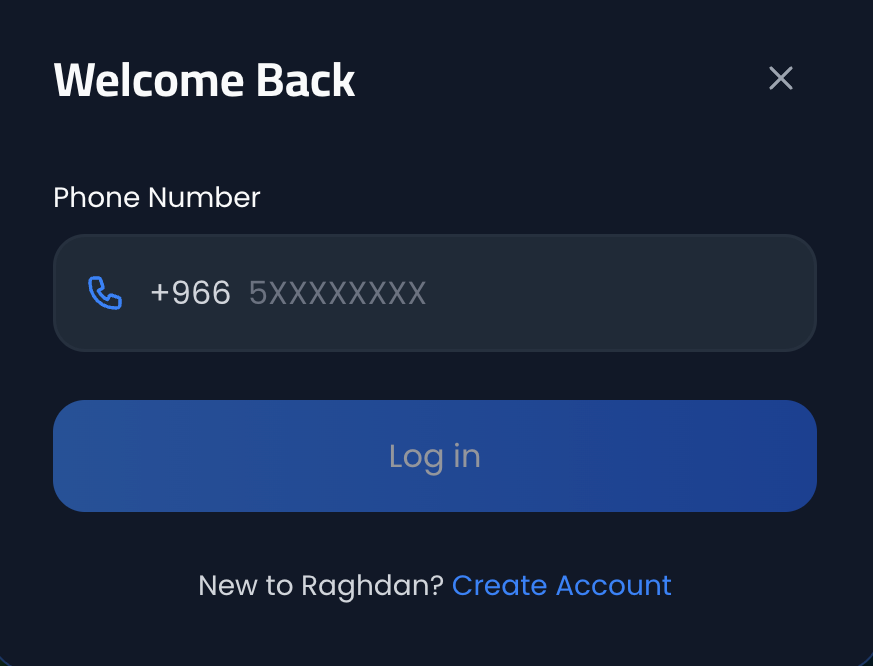
A sign-in window will appear. Tap the country code (+966) to choose your country if it is not Saudi Arabia, enter your mobile number, then choose how you would like to receive the verification code:
- WhatsApp — the code arrives in a WhatsApp chat on the same number
- SMS — the code arrives as a text message
Pick whichever suits you, then click "Sign In". If you don't have an account, click "Create Account" at the bottom of the window.
Step 3: Fill in Your Account Details
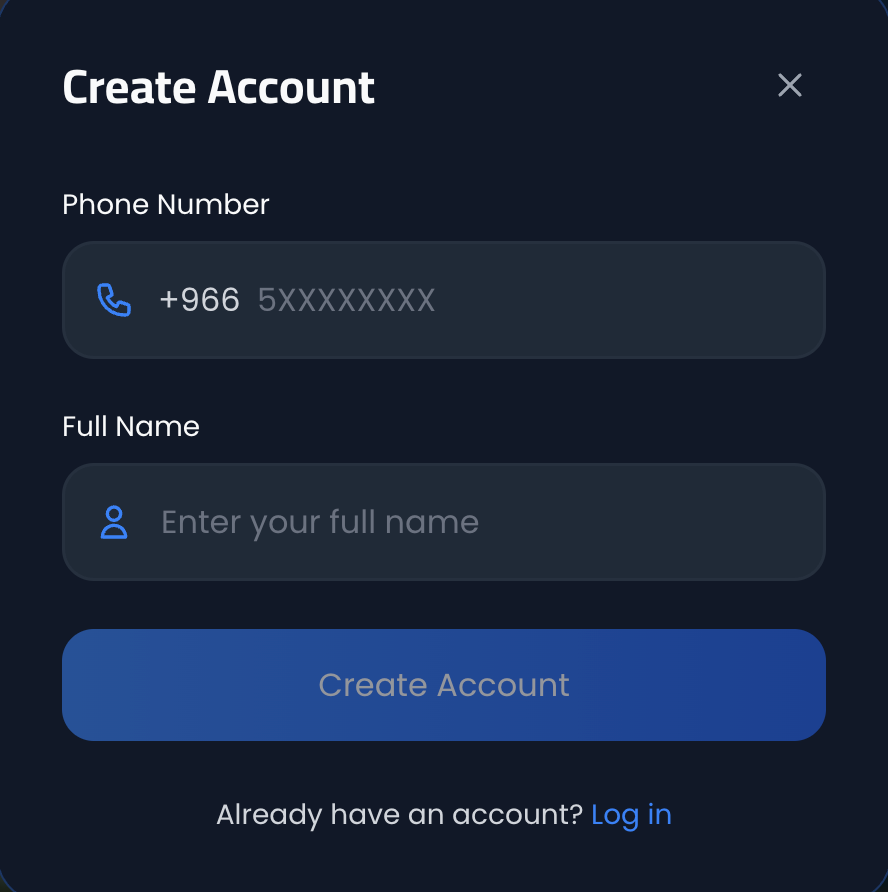
In the new account creation window, enter:
- Mobile Number — An active mobile number from one of the seven countries, after choosing the country from its code
- Full Name — Your full name as you want it to appear on the platform
Then choose how to receive the verification code — WhatsApp or SMS — and click "Create Account". The code will arrive by whichever method you chose, to confirm your mobile number.
Important Notes
- Registration is done via mobile number only (no email registration)
- Make sure to enter a correct mobile number as the verification code will be sent to it
- After verifying your mobile number, you can start using the platform immediately
Common Issues
- I didn't receive the verification code: Make sure the mobile number is correct and wait a few seconds. If not received, click "Resend Code", or try the other method (WhatsApp instead of SMS, or the reverse)
- I chose WhatsApp and nothing arrived: Make sure WhatsApp is active on the same mobile number you entered
- Mobile number already registered: This means you already have an account. Use "Sign In" instead of "Create Account"
- Verification code is incorrect: Make sure to enter the code exactly as received. The code is valid for a limited time