How to Activate Property Management Services?
Before You Start
- You must have an active account on Raghdan platform
- Activation is done through the "Available Services" section in your profile
Accessing Available Services
From your profile dashboard, press the "Available Services" icon.
Inside Available Services, you'll find three main sections you can activate:
First: Activate Property Management
- 1Press the "Property Management" section — Manage properties, units, tenants, contracts and payments
- 2Choose account type: Individual/Owner, Real Estate Office, or Real Estate Company
- 3Enter business name in Arabic and English
- 4Enter commercial registration and Fal license (optional)
- 5Press "Activate"
After successful activation, you'll see a "Service Activated" message with your business name, and a "Enter Dashboard" button that takes you to the full property management system.
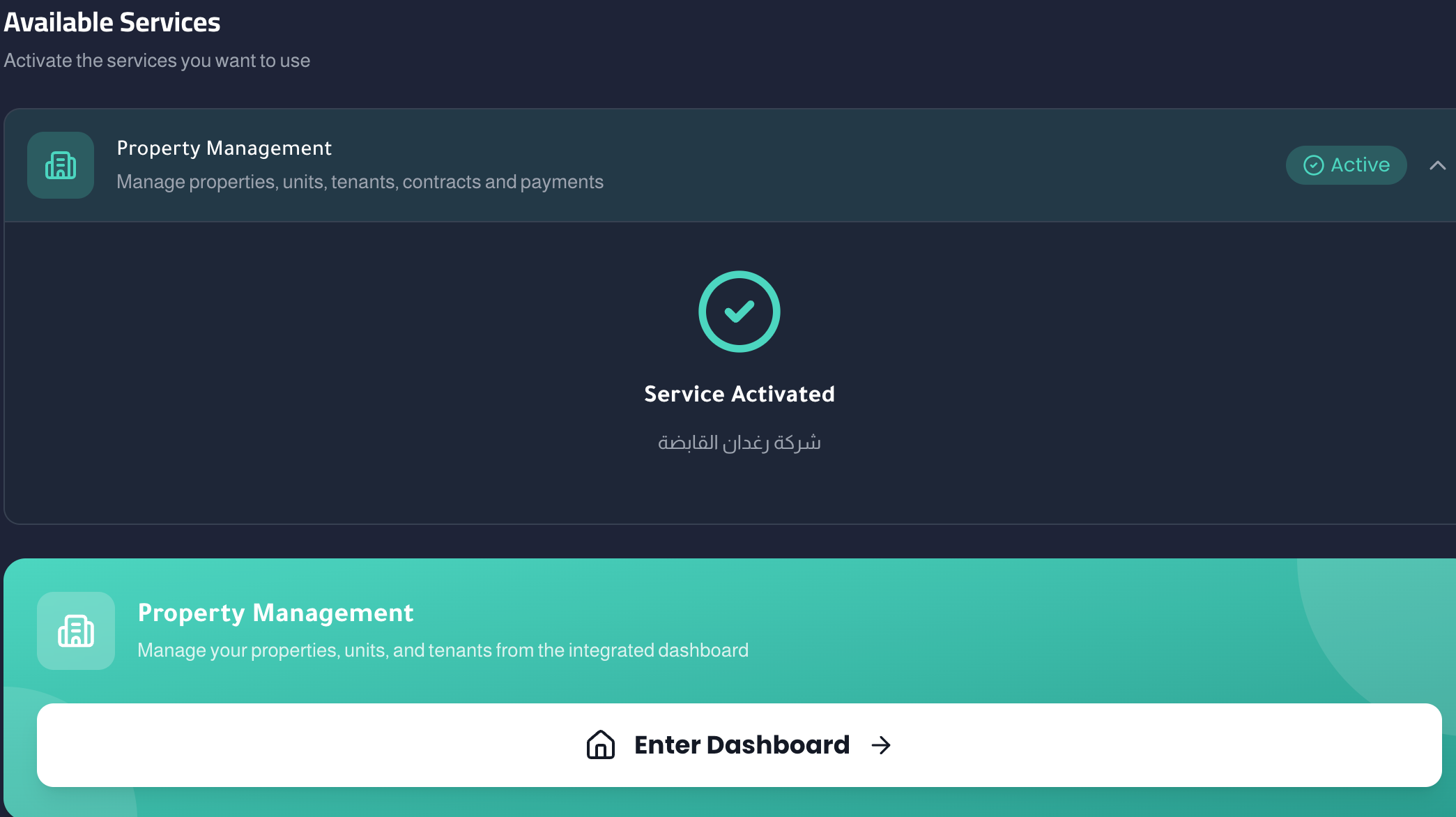
Also: After activation, a new icon will be created in your dashboard called "Property Management" for direct access anytime.
Second: Activate Maintenance Service
- 1Press the "Maintenance Service Provider" section — Receive maintenance requests and submit quotes
- 2Choose business type: Independent technician, establishment, or company
- 3Enter business name and commercial registration
- 4Select city from the list
- 5Choose specializations you offer (plumbing, electrical, HVAC, carpentry, painting, aluminum, general maintenance, electrical appliances, cleaning, etc.)
- 6Upload business logo (optional)
- 7Press "Activate"
After activation, you'll see "Service Activated and Verified" with your logo, city, and all selected specializations.
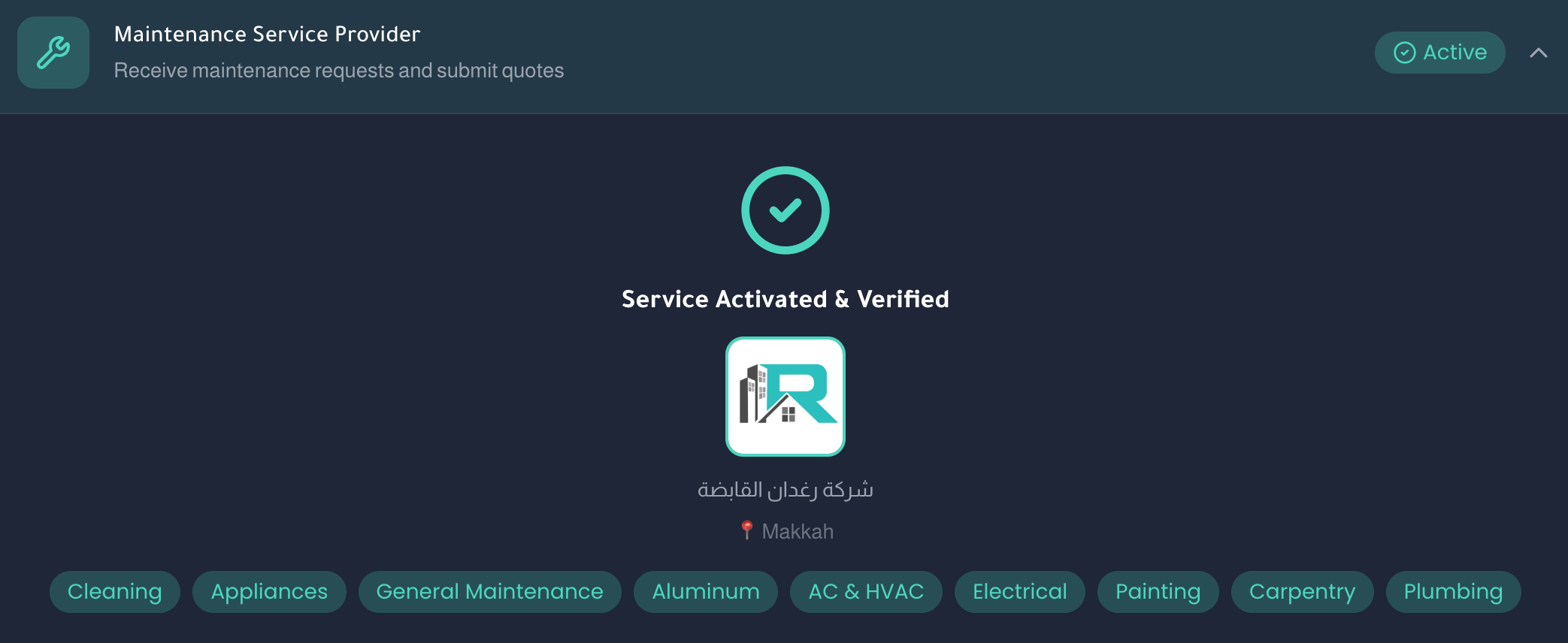
Also: A new icon will be created in your dashboard called "Maintenance Requests" to manage and track all maintenance requests.
Third: Activate Tenant Portal
The tenant portal differs from the other two — tenants cannot activate it themselves. The owner or marketer must send them a property linking invitation.

Activation steps:
- 1Owner/marketer enters Property Management → Tenant Management
- 2Adds tenant details (name, national ID, phone number)
- 3Sends an invitation to the tenant via one of two methods:- Free WhatsApp invitation — sends a WhatsApp message directly- SMS invitation — if you have SMS credit balance in your account
- 4Tenant receives the invitation and registers on Raghdan (if not already registered)
- 5The invitation appears in their account — they press "Accept"
- 6After accepting, a new icon is created in the tenant's dashboard called "Tenant Portal"
Activation Summary
| Service | Activation Method | New Icon |
|---|---|---|
| Property Management | Fill data in Available Services | Property Management |
| Maintenance Service | Fill data and specializations | Maintenance Requests |
| Tenant Portal | Invitation from owner (WhatsApp or SMS) | Tenant Portal |
Important Notes
- Property management activation is free.
- You can activate all three services or any one based on your needs.
- WhatsApp tenant invitation is free; SMS invitation requires message credit.
- After activation, icons remain visible in the dashboard permanently.
Common Issues
- Can't find Available Services: Make sure your account and Nafath are activated.
- Property Management icon didn't appear: Refresh the page or log out and back in.
- Tenant didn't receive WhatsApp invitation: Verify the correct phone number and that WhatsApp is active.
- SMS invitation didn't send: Make sure you have sufficient SMS credit balance.