Step 1: Parties Data (Lessor & Tenant)
After login, enter both parties: lessor then tenant. Each is either an Individual or a Company/Organization.
Individual
Enter the National ID (it never changes and must be verified via Nafath), then date of birth (Hijri or Gregorian), then press Verify. The ID type is detected automatically (with an "Other type?" option to change it).
Company/Organization
Enter the unified establishment number and the registration issue date, then upload the required document: articles of incorporation, registration certificate, real-estate registry certificate, or power of attorney.
Verification happens only once: the first time, the request is reviewed by Raghdan to confirm the person matches the establishment's record and is authorized to lease on its behalf. Upon approval, the establishment is activated once and stays permanently activated — no re-verification is needed for later contracts.
Tenant
Exactly the same flow (individual or organization).
Bank account auto-shows
Once the lessor's identity is verified, the system automatically displays the IBAN registered on Ejar.
Important Notice: If Ejar shows that the ID is expired
If Ejar shows an expired ID message during party verification, you need to update your identity information through the Ejar platform.
Steps
- 1Sign in to Ejar.
- 2In many cases the warning appears automatically with an option like "Update My Information" — click it to start the update.
- 3If the warning does not appear automatically:- Click your name at the top of the page in Ejar.- Go to "Account Management".- Choose "Update National Information Center".
- 4After updating your information in Ejar, return to Raghdan and retry the verification, then continue the contract steps.
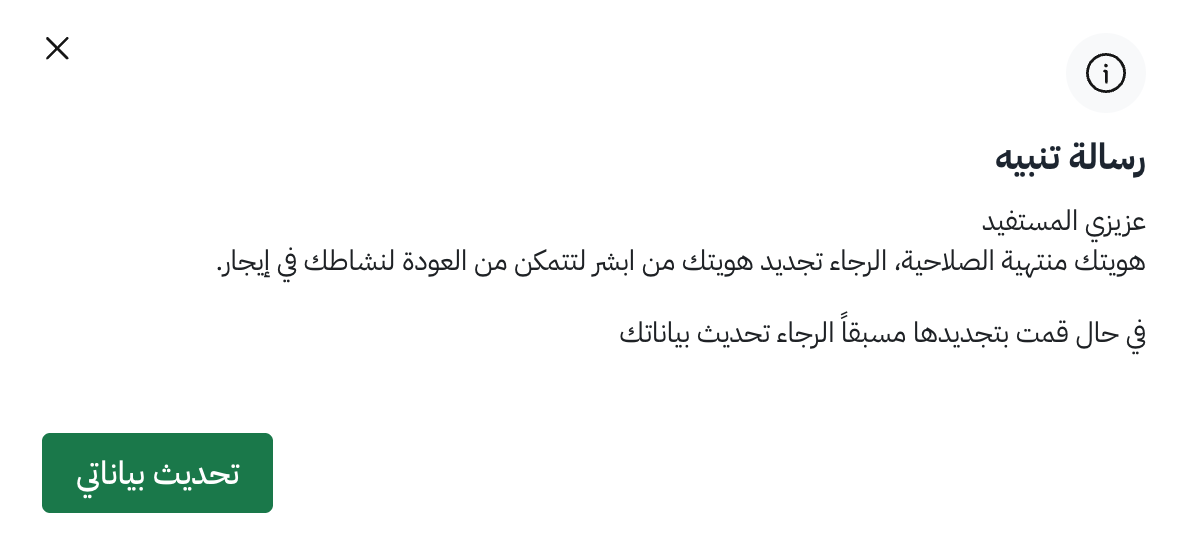
Important: Identity information must be updated through Ejar, not through Raghdan.
Note: If the ID was renewed recently and still shows as expired, it usually means the identity data has not yet been refreshed on Ejar.