How to Add a Marketing Request?
Before You Start
- You must have an active account on Raghdan platform
- You must have a property you wish to sell or rent
What Is Property Marketing?
If you own a property (apartment, villa, land, or other) and wish to sell or rent it, you cannot list it directly on the platform — you need a licensed real estate broker to obtain an advertising license from REGA (Real Estate General Authority).
The "Market Your Property" service allows you to publish your property in the marketing section for all registered real estate marketers on Raghdan to see. When an interested marketer finds your property, they'll contact you directly to agree on the commission and obtain the advertising license.
Steps
Step 1: Press the "Services" Button
From the top menu bar.

Step 2: Select "Market Your Property"
From the dropdown menu, press "Market Your Property".
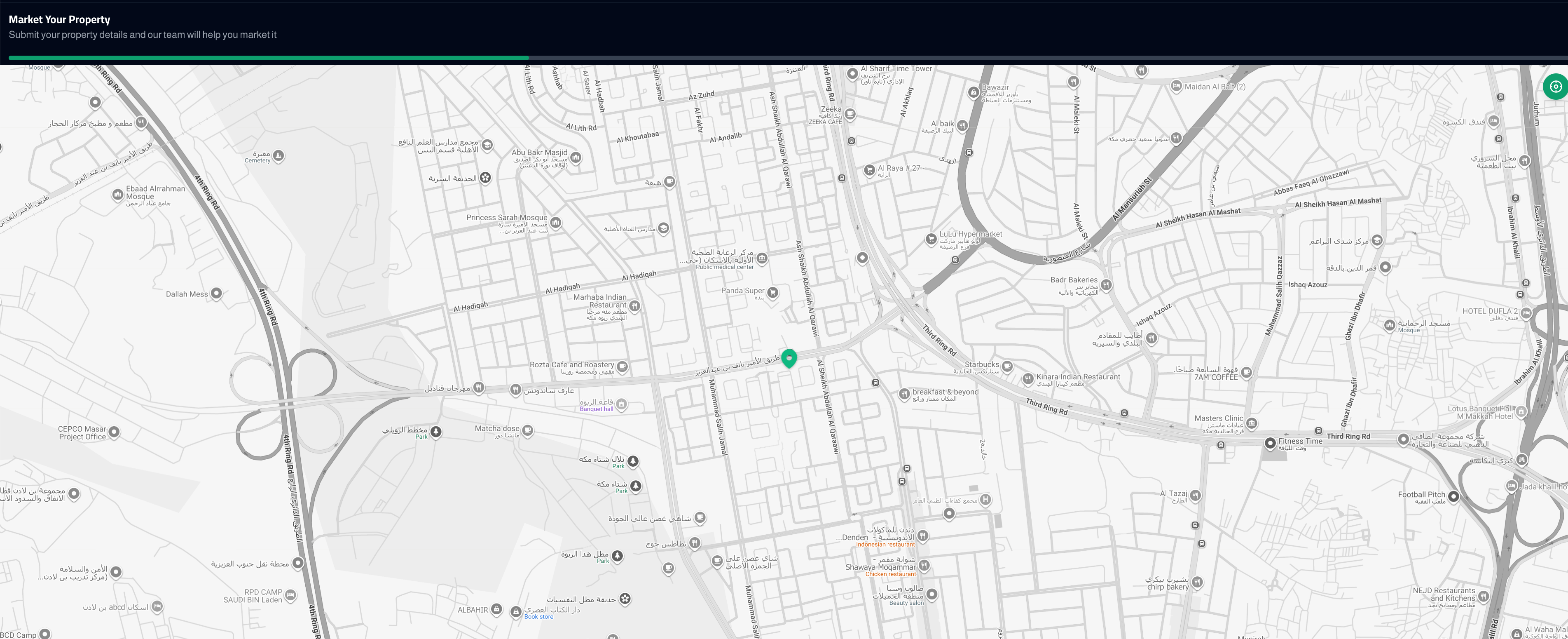
Step 3: Select Property Location on the Map
An interactive map will appear with the title "Market Your Property — Submit your property details and our team will help market it". Select the exact location of your property. You can:
- Use the location button (green circle) to automatically detect your current location
- Or manually move the map and pinpoint your property location

Step 4: Specify Property Details
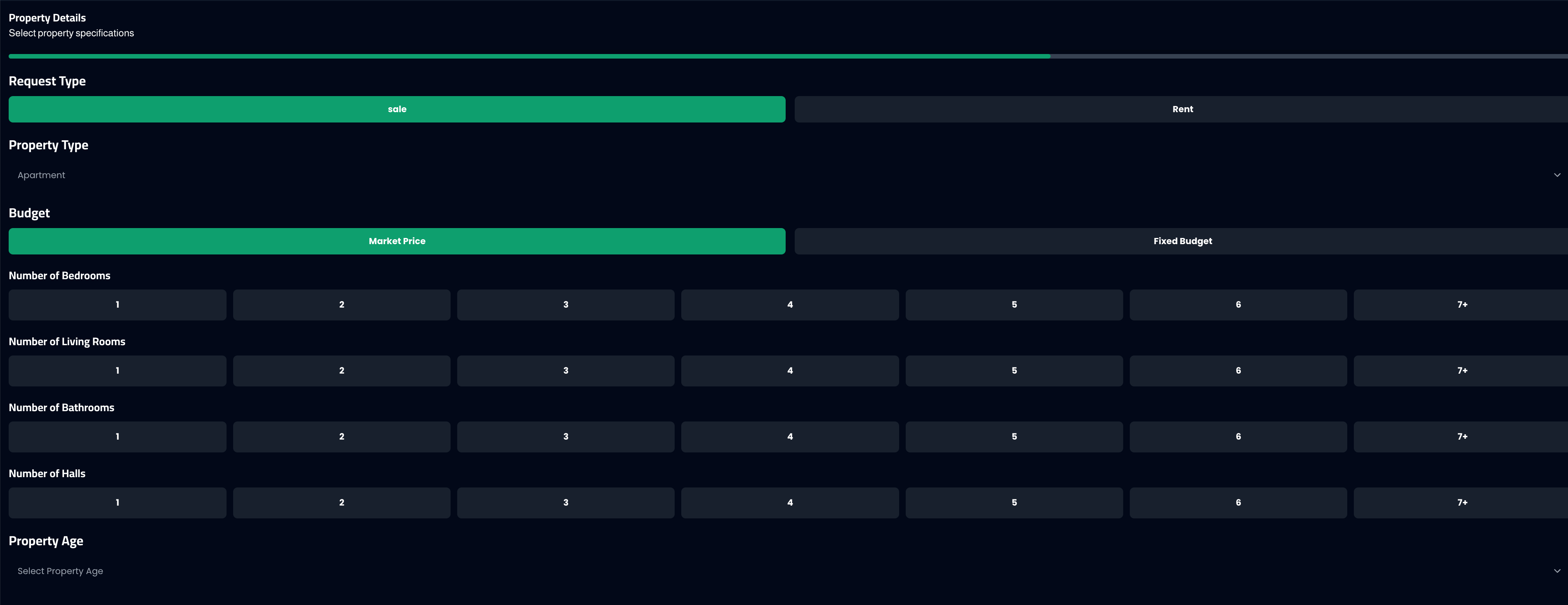
After selecting the location, move to the next step and specify your property features:
- Request Type: Sale or Rent
- Property Type: Residential apartment, villa, land, and more
- Budget: Market price or specific budget
- Number of bedrooms, living rooms, bathrooms, halls
- Property age
Step 5: Review and Submit
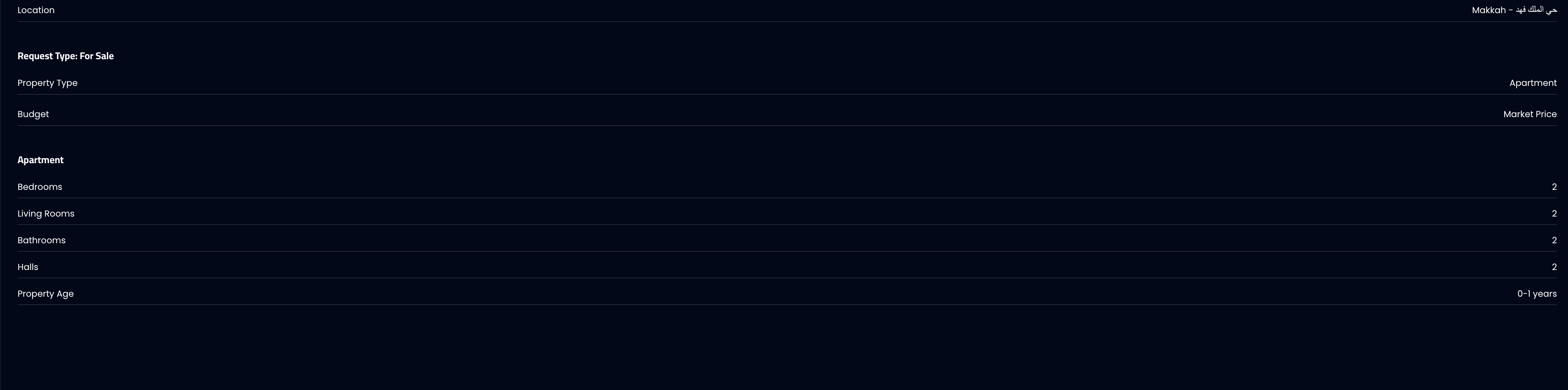
In the final step, a "Review Property Marketing" page will display all the details:
- Location on the map (e.g., Makkah — King Fahd District)
- Request type (For Sale) and property type
- Budget, number of rooms, and property age
Review the details, and if you're satisfied press "Submit". If you want to change anything, press "Previous" to go back and edit.
What Happens After Publishing?
- Your request appears in the Property Marketing section on the website
- All registered real estate marketers can see your request
- An interested marketer will contact you to agree on the marketing commission
- After agreement, the marketer obtains an advertising license from REGA
- Your property listing is officially published on the platform
Important Notes
Make sure to pinpoint your property location accurately on the map.
Specify property features correctly so the right marketer can reach you.
You can create multiple marketing requests for different properties.
Marketing requests are also automatically published on social media platforms for wider reach.
Common Issues
- Request doesn't appear after publishing: Wait a few minutes for the list to update.
- No one contacted me: Make sure your property details are clear and the location is accurate.
- I want to edit the request after publishing: Currently, requests cannot be edited after submission — you can create a new request.
- Is the service free? Yes, publishing a marketing request is free. The commission is agreed upon between you and the real estate marketer.