How to Delete a Listing?
2 min readLast updated: 2026-03-23
Before You Start
- You must have an active account on Raghdan platform
- You must have a published listing
Can I Delete a Listing?
You cannot delete a property listing from Raghdan platform, because listings are linked to the advertising license issued by REGA (Real Estate General Authority).
However, you can mark the property as sold or rented when the deal is completed, and the listing will no longer appear to the public.
Steps to Mark a Property as Sold or Rented
- 1Go to your listings — From the "Marketer Listings" page in your account
- 2Select the listing — Open the listing you want to mark
- 3Click "Mark as Sold/Rented" button — You'll find the button in the button bar

Mark Button - 4Confirm the action — A confirmation dialog will appear, click "Confirm" to complete
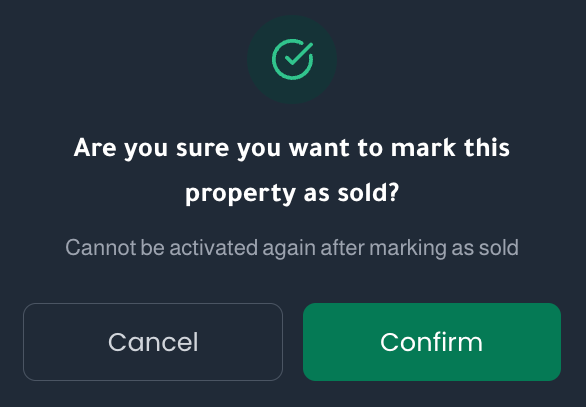
Confirmation Dialog - 5A "Sold" or "Rented" stamp will appear on the listing

Important Notes
- Warning: When you mark a property as sold or rented, this action cannot be undone — you will not be able to reactivate the listing.
- The property will no longer appear to the public after marking — it will be removed from search results and your public profile.
- If you only want to temporarily pause the listing without marking it as sold, use the "Hide Listing" option instead (see the article "How to Hide a Listing?").
Need Help?
If you have any questions or encounter any issues, please open a support ticket through the "Contact Us" page or from within your account.
Common Issues
- Mark button not appearing: Make sure you are the listing owner and logged in with the correct account.
- I want to undo the marking: Unfortunately, this cannot be reversed after confirmation. If you need assistance, please open a support ticket.
- Can I create a new listing for the same property? Yes, you can create a new listing with a new advertising license from REGA.